The Lease Signing Process for Landlords and Tenants Explained

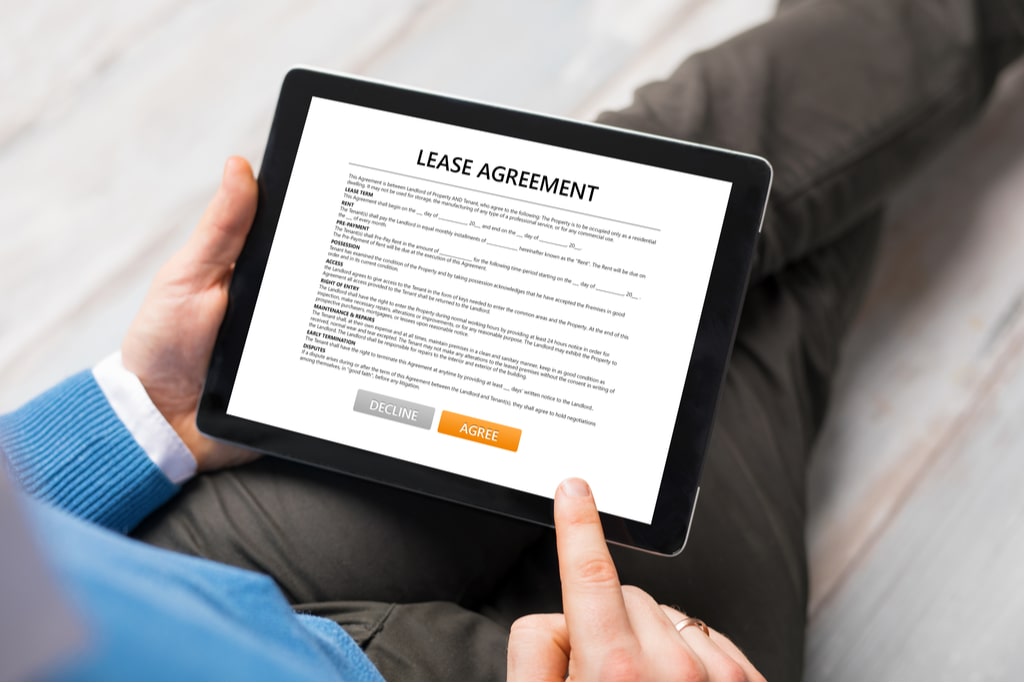
A rental lease agreement is an important document that includes all the necessary information and legal elements required to protect landlords and tenants. But before signing a lease agreement, it’s important to be informed on the lease signing process, such as who signs first and what to consider before signing.
Keep reading to learn more about the lease signing process and tools that can help you streamline the process.
Key Takeaways
- Review the lease thoroughly: Tenants should ensure all information in the agreement aligns with what was communicated during the application process.
- Signature requirements: All involved parties—the landlord and all tenants—must sign the agreement for it to be valid.
- Signing order: Tenants generally provide the first signature, while landlords sign last to finalize the agreement.
What Factors Should Be Considered Before Signing a Lease?
Before signing a lease agreement, it’s advised to review the following parts of a lease to ensure you’re aligned with the stated information.
- Lease agreement type: Check that the lease agreement states the correct term duration you agreed on. If both the landlord and tenant agreed on a 12 month lease, then the lease agreement should explicitly state this.
- The stated rent price: Avoid signing for a lease agreement that states the incorrect rent price. If the rent price doesn’t match what’s been communicated, then the landlord will need to adjust the lease.
- The landlord’s rules: Review the rules and conditions the landlord will enforce during the lease term. Tenants may also want to review local landlord-tenant laws to ensure the agreement does not violate their renters’ rights.
- If the information matches what’s been communicated: Landlords should include rent concessions they’re offering, amenities available to tenants, fees tenants are responsible for paying and when they’re due, and any other information shared with the tenant.
If the lease agreement does not match the information discussed during the application process, tenants are advised to let the landlord know before signing. This is especially important because lease agreements cannot be changed once everyone in the agreement has signed.
The Lease Signing Process Explained
Once a tenant’s application has been approved, the next step is signing the lease to finalize the agreement. Landlords can schedule an in-person meeting to collect signatures or explore electronic lease signing to expedite the process.
Here are the basic steps in the lease signing process that landlords and tenants can follow.
1. Landlord Sends Lease to Tenant to Review and Sign
Landlords can digitally sign our lease agreement templates or their own ready-to-sign document for free. Before collecting the tenant’s signature, landlords will need to invite them to create an account with Avail. They will be emailed with instructions on how to review and sign the lease. They can use this time to raise any concerns they have when reviewing the lease agreement.
If the tenant discovers an error in the lease agreement, landlords can easily edit Avail leases to resend. However, if the document was uploaded to Avail, you may need to upload the revised document to sign online.
2. Tenant Provides First Signature
It’s best practice to have the tenant sign the lease agreement first for a few reasons. If you provide a lease with your signature and the tenant does not sign the document right away, then it makes it harder to move on to another tenant. If the new tenant you chose signs the lease, as well as the original tenant you wanted to lease to, you can end up with two valid leases, which will require legal assistance to navigate.
For that reason, landlords typically require tenants and co-signers or lease guarantors (when applicable) to sign the lease first. This also allows you to review the lease to see if any portions have been changed without your knowledge or cancel the lease if you no longer want to rent to the tenant.
3. Landlord Provides Final Signature
Once you’ve collected signatures from tenants, landlords can provide theirs to make the agreement legally binding. It’s important to review the lease agreement before signing to ensure all the information is correct and complies with local ordinances.
The final lease agreement will automatically populate both parties’ dashboards to reference throughout the lease term.
Lease agreements cannot be changed once both parties have signed.
Frequently Asked Questions: Digital Lease Signing
Who Signs the Lease First: The Landlord or the Tenant?
Tenants generally provide the first signature on the lease agreement, and landlords sign last to make the agreement final. This protects landlords from ending up with two valid leases if a tenant delays signing.
What Should Tenants Review Before Signing a Lease?
Tenants should verify the lease type, rent price, landlord rules, and that all communicated terms, such as fees and amenities, are accurately reflected.
If anything does not match what was discussed, tenants should notify the landlord before signing, since the lease cannot be changed once all parties have signed.
Can a Lease Be Changed After Everyone Has Signed?
No, lease agreements cannot be changed once both the landlord and tenant have signed. Any corrections or updates need to be made before all parties provide their signatures, or handled via a Lease Amendment.
Are E-Signatures on Leases Legally Binding?
Yes, digital signatures on rental contracts are fully enforceable and hold the exact same legal validity as physical, wet-ink signatures under the federal ESIGN Act and state-level UETA regulations.
To guarantee your digital leasing workflow stands up in court, the execution process must satisfy three fundamental compliance standards:
- Clear intent: The signing process must explicitly capture that both parties intended to legally bind themselves to the contract, which is verified when a user types out their name or clicks a definitive “Sign Lease” action.
- Mutual consent: Both the property owner and the prospective residents must actively agree to abandon paper documentation and conduct their business transactions electronically before finalizing the agreement.
- A secure audit trail: Your digital signing platform must log a tamper-proof history of the event — capturing precise timestamps, dates, and network information — to serve as verifiable evidence if a contract dispute occurs.
Is a Lease Valid if Not All Tenants Have Signed It?
In most states, all parties listed in the lease must sign for it to be valid. Rules around online signatures vary by state, so it is important to check local landlord-tenant laws.
How Do I Store Signed Leases Securely Online?
Signed leases can be stored digitally on a secure platform where they are accessible to both landlords and tenants. Avail allows you to upload and store existing leases for free, keeping all documents in one organized location.
What Happens After the Landlord Provides the Final Signature?
Once the landlord signs, the lease becomes legally binding, and the finalized agreement automatically populates both parties’ Avail dashboards for reference throughout the lease term.
What Happens if a Tenant Refuses to Sign Electronically?
If a tenant refuses to sign electronically, the landlord can provide a physical lease to be signed in person. The landlord can then upload the signed lease to Avail to maintain a digital record.
Do Co-Signers and Lease Guarantors Also Need to Sign the Lease?
Yes, co-signers and lease guarantors are typically required to sign the lease along with the tenant before the landlord provides their final signature.
Digitally Sign and Manage Your Leases for Free
Streamline your rental business by opting for online lease signing. With Avail, you can upload your existing lease agreement templates to collect unlimited digital signatures and store your documents online for free.
Looking for total protection? Access our library of lawyer-reviewed, state-specific lease agreements and amendment templates. With Avail Unlimited Plus, you can fully customize lease clauses to meet the unique needs of your property and ensure your rental business is fully protected.
Create an account today to build your customized lease agreement today.
- Advertise your rental online
- Collect rent online and more
- Access lawyer-reviewed lease agreements